Know when a lapsed customer is in your service drive
LoyaltyLink watches the vehicles you choose and tells the right person the moment one of them has a repair order opened. Your team talks to the customer while they're there, records why they'd been away, and you finally see the reasons.
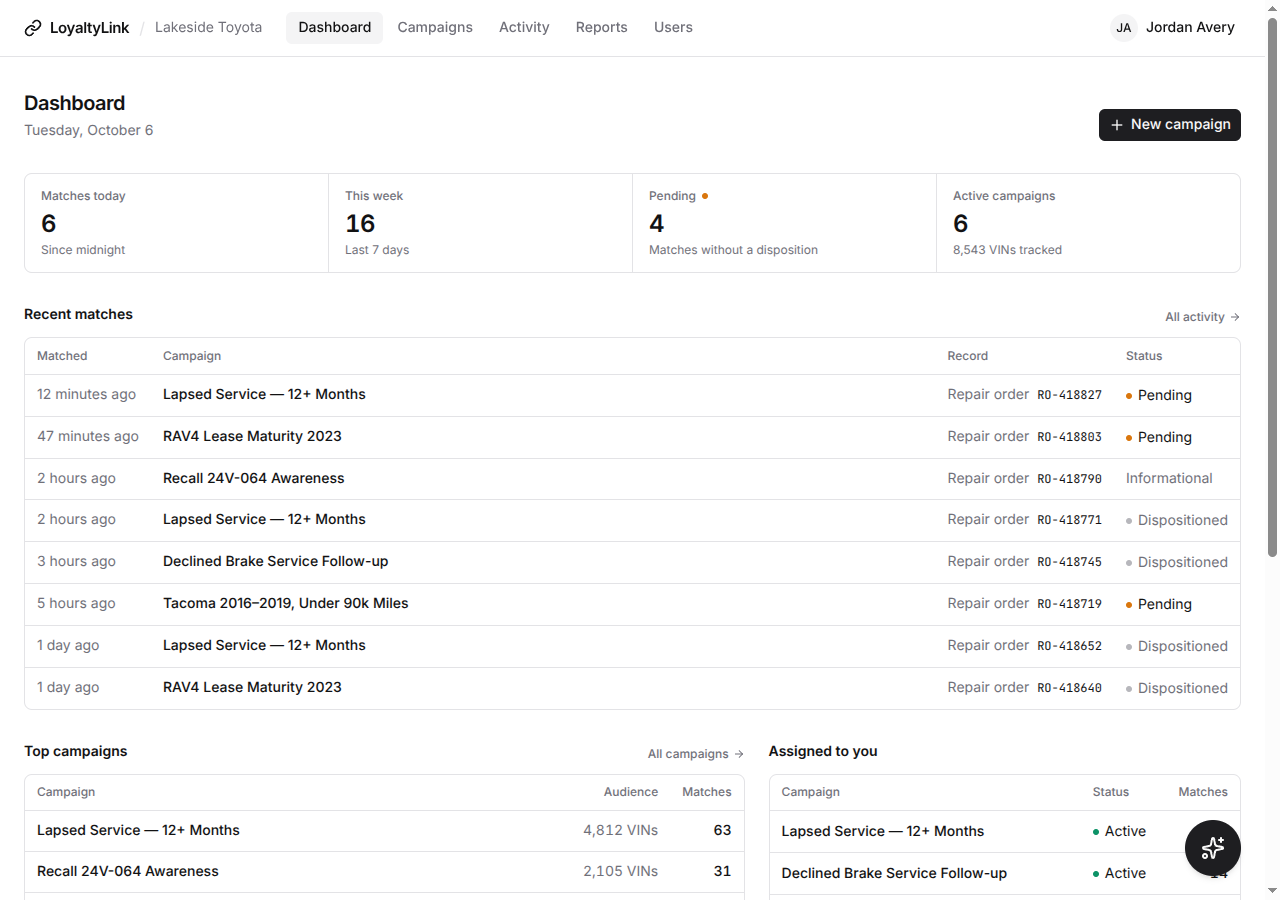
The dashboard, with sample data.
Four steps, and the fourth is the one that matters
Everything up to the conversation is automatic. The conversation is yours.
Build a campaign
Upload a VIN list from the LEO Portal or your DMS, or describe the vehicles instead: make, model, model years, color, mileage. Give it a name and an end date.
Match on arrival
When CDK opens a repair order for one of those vehicles, LoyaltyLink notices in about a millisecond. Nothing to export, nothing to look up.
Alert the right person
An email goes to the people assigned to the campaign and to the advisor named on the repair order, with the vehicle, the RO and which campaign it came from.
Record the conversation
The advisor talks to the customer and records the reason they'd been away, from a short list. Until they do, the match stays pending where everyone can see it.
Why customers stayed away, in their own words
Every recorded conversation becomes a count you can act on: by reason, by category, by team member, by week. No scores, no guesses about who might come back. Just what customers actually said.
- A fixed list of reasons, so the counts mean the same thing in March as in October.
- The most-used reasons come first in the dialog, so recording one takes a tap.
- Pending is visible on the dashboard, in Activity and on each campaign, until the team has recorded every match.
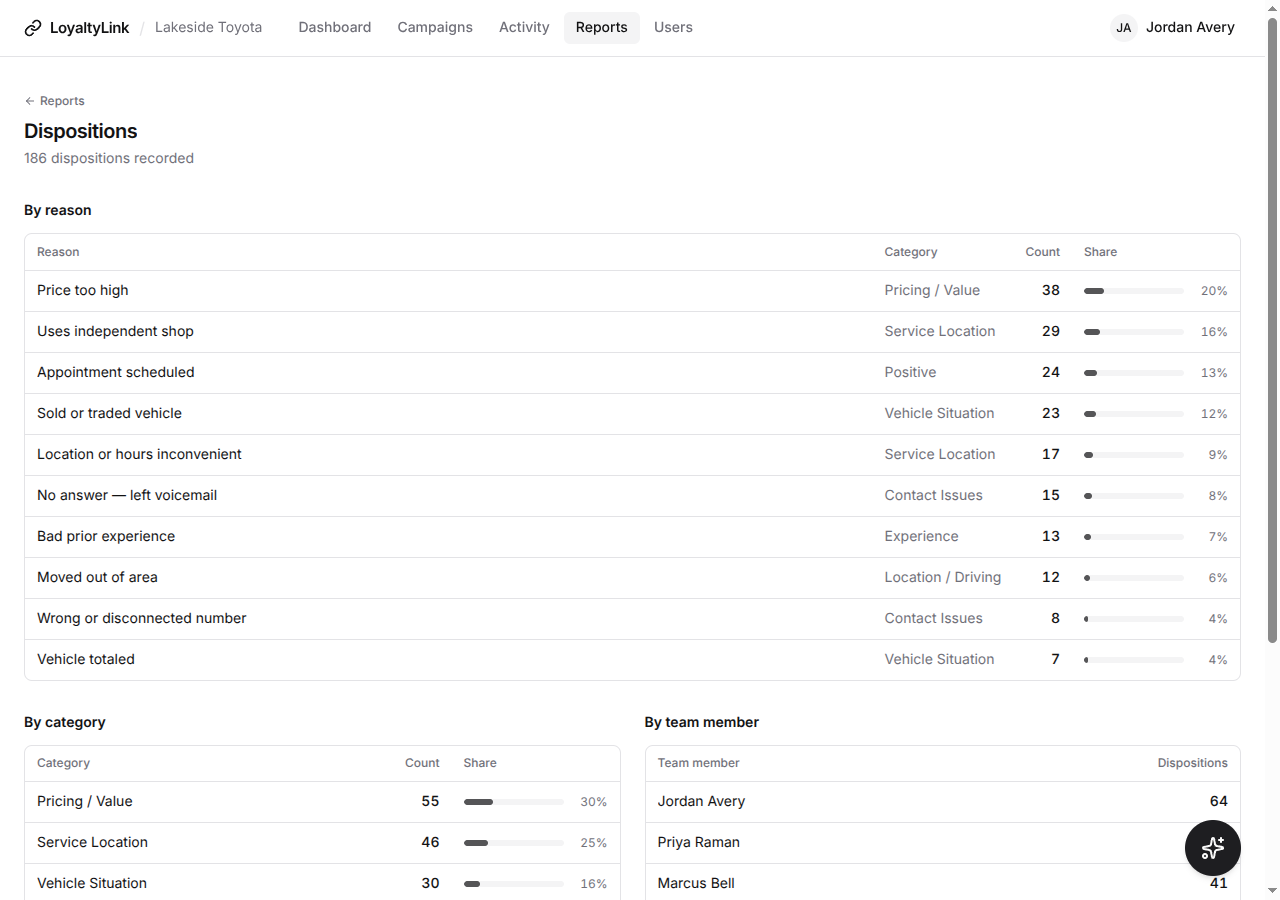
The Dispositions report, with sample data.
One campaign, one purpose, one end date
A campaign is a set of vehicles you want to hear about, for a defined period. Each one has its own page: matches, dispositions, reasons, who gets alerted, and when it ends.
- From a list: an inactive-customer export from LEO, a DMS report, any CSV with a VIN column.
- From a description: every 2017 to 2021 Tacoma, say, matched against your own repair orders. No list from anywhere.
- Informational campaigns for recalls and notices: alerts only, no dispositions to record.
- A reminder three days before it ends, to whoever can extend it, so nothing expires unnoticed.
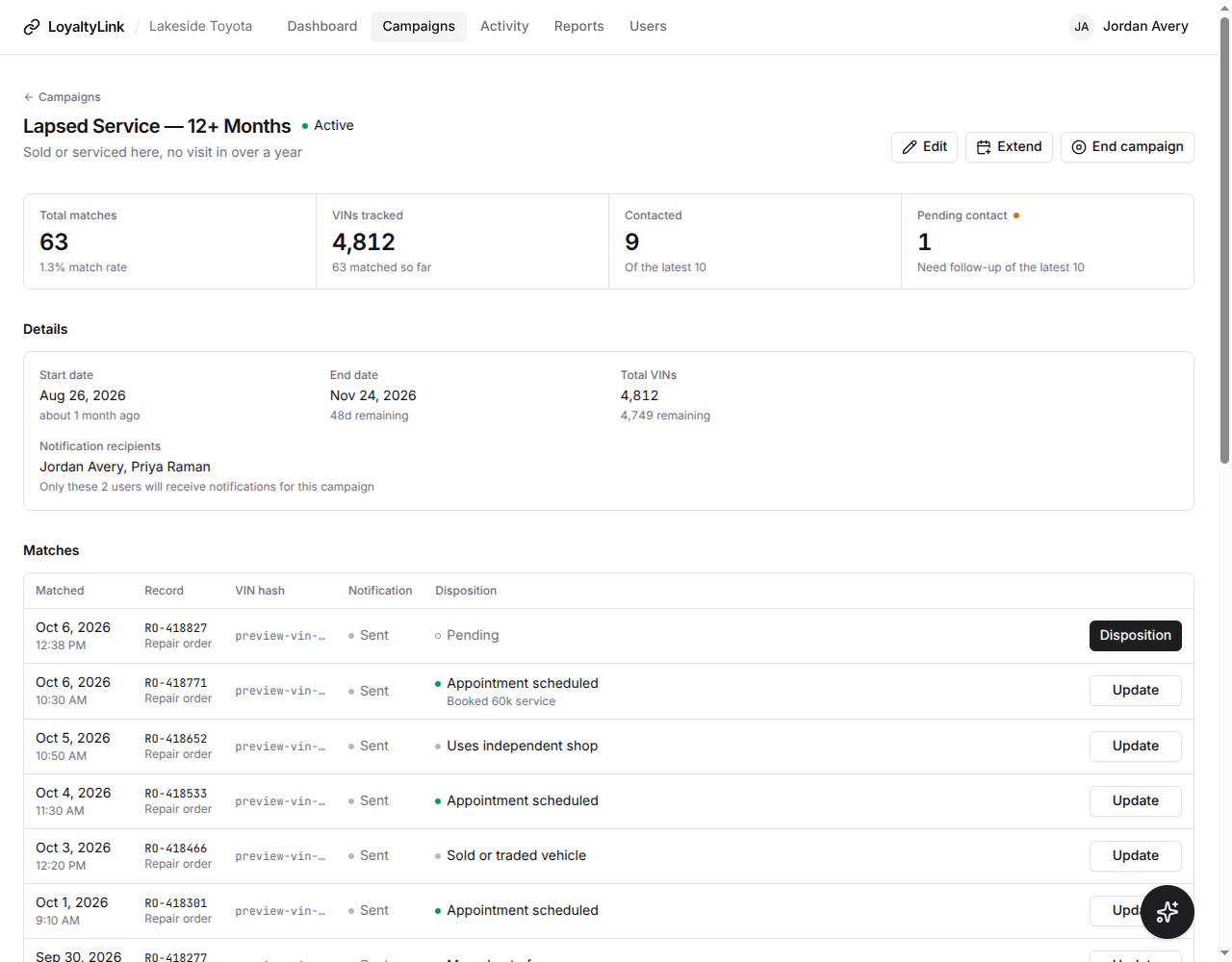
A campaign's page, with sample data.
Built for an advisor with a customer in front of them
Alerts arrive by email within seconds of the repair order opening, and the Activity page works on a phone. See who is in, open the match, record the reason, done.
- Advisor routing: the alert reaches the advisor on the RO, by their DMS employee number, as well as the campaign's assigned people.
- Each person chooses all alerts or only their own.
- Roles for owners, administrators, managers, advisors and viewers, so people see what they need and change only what they should.
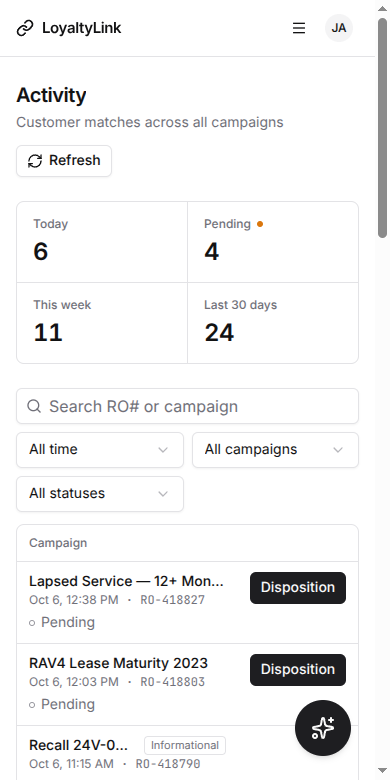
Activity, on a phone.
Ask about a campaign and get the same numbers as the screen
The built-in assistant is given the figures behind the dashboard, every campaign, and the dispositions report, plus each active campaign's recent matches. It answers from those, says what each number covers, and says when it doesn't have something.
- Knows every campaign by name, from any page.
- Can look at a campaign's matches and say what they have in common: vehicles, mileage, last visit, advisor.
- Never sees a customer name or a VIN, and doesn't rank your people.
I took "the October campaign" to be October 2026 Lapsed Customers, which is active and runs Oct 1 to Oct 31, 2026. There is also an expired October 2025 campaign, so let me know if you meant that one.
- Watching for: an uploaded list of 4,812 VINs
- Matches so far: 212
- Dispositions: 81 recorded, 131 pending (38% of its matches have one)
- Reasons recorded: Uses an independent mechanic (24), Prices too high (15), Moved away (11)
Comparison: September 2026 finished with 78% of its 388 matches having a disposition. October is still running and has had less time, so the two aren't directly comparable yet.
Built to the Toyota LEO Portal terms
A LEO export is Customer Information, provided for one promotion. LoyaltyLink is built so that is exactly how it gets used.
What is kept
- Only the VIN column of an uploaded list; names, addresses and segments are never read
- The list lives only for its campaign, in a store that deletes it at the end date
- Nothing from the export is merged into any other database
When it ends
- Deletion by an hourly job, by a storage time-to-live, and at match time, independently
- The hashed VIN on each match is cleared too; what remains is your own repair-order record
- A campaign may run 180 days at most, extensions included
Who can see it
- US-only infrastructure, encrypted in transit and at rest
- Each dealership's data is isolated in the database itself, not just in the app
- An audit log of who created, extended and ended each campaign, and who recorded what
A written compliance overview covering the agreement clause by clause is available on request, along with the vendor agreement your dealership needs under Section 2(i) of the LEO terms.
See it with your own campaigns
A demo takes half an hour. Bring an export, and we'll walk through what happens when one of those vehicles shows up.